Residential golf simulators

Golf at home, all year long

Build a year-round practice bay at home — hitting mats, impact screens, nets, and putting greens from our golf specialist partner, with QualGear projector mounts overhead.

Featured golf gear

Build your bay Components for home simulator setups

Start with the hitting surface and impact screen, then finish the room with enclosure accessories and a putting green. Space requirements and full dimensions are listed on each product page.

Setup

Set up with confidence Seven steps from empty room to first swing

Follow these steps to plan and assemble a residential golf simulator bay. Most components install with basic tools; hire a qualified local professional for ceiling or structural work you're not comfortable with.

Moderate
  1. 1

    Measure your room

    Measure your space and note ceiling height, wall depth, and available floor area. Check the minimum room dimensions listed on your system's product page before ordering.

  2. 2

    Install the screen frame

    Secure the screen frame to the back wall using the provided mounting hardware. Ensure it's level and studs are located for safe anchoring.

  3. 3

    Mount the projector

    Attach the ceiling mount and position the projector at the correct distance from the screen. The throw distance depends on your projector model.

  4. 4

    Connect the launch monitor

    Position the launch monitor facing the screen, following its manufacturer's placement guide. Calibrate per the manufacturer's instructions to ensure accurate shot tracking.

  5. 5

    Level the playing mat

    Lay the mat flat and adjust for any uneven spots. A level mat is crucial for consistent shot accuracy.

  6. 6

    Run cables and power

    Connect all cables from the launch monitor, projector, and audio equipment. Use cable management to keep your space clean and safe.

  7. 7

    Test and play

    Calibrate your system, run a test session, and make any final adjustments before your first full round.

Before you start

Verify your space meets minimum dimensions and check ceiling composition (drywall, popcorn, beam location) before purchasing.

Compare surfaces

Hitting mats and strips Sizes and formats for your space

Compare hitting mats, replaceable hitting strips, and simulator turf by size and format. Full dimensions are listed on each product page.

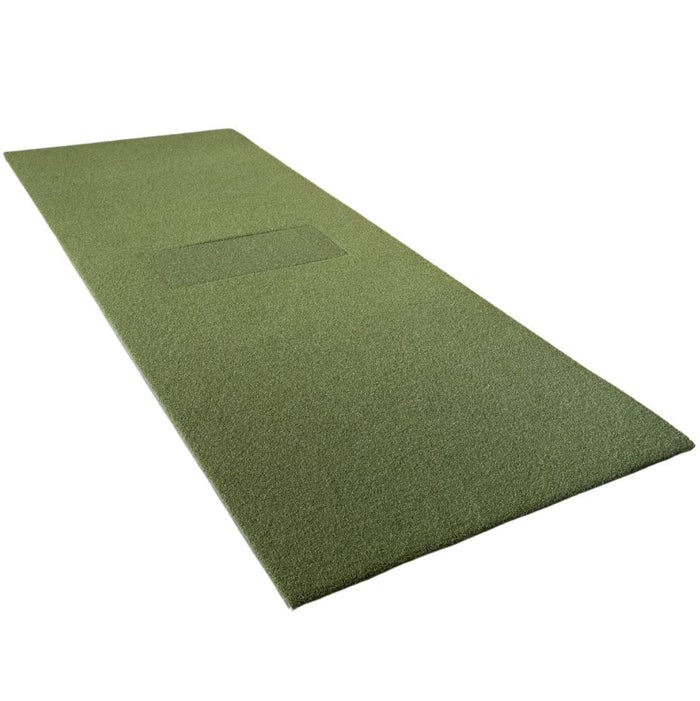
TIGS Bermuda Black Golf Turf

TIGS Bermuda Black Golf Turf

  • Roll width: 15 ft / 4.6 m
  • Roll lengths: 5-25 ft / 1.5-7.6 m, in 1 ft / 0.3 m steps
  • Shipping weight (by length): 31-162 lb / 14.1-73.5 kg
  • Surface: Artificial golf turf
  • Applications: Putting green contrast, practice mats, landing-pad protection for simulator flooring
  • Placement: Indoor or outdoor
  • Companion roll: TIGS Money Putt turf in Forrest Green, for putting surfaces
  • Warranty: Provided and honored by our partner under their product warranty
  • Support: Setup and product questions are answered by our golf specialist partner
  • Fulfillment: Fulfilled and shipped directly by our golf specialist partner; order and checkout stay on QualGear
$640.00
SIGPRO Softy LITE 4' x 10' Golf Mat

SIGPRO Softy LITE 4' x 10' Golf Mat

  • Mat size: 4 x 10 ft / 1.22 x 3.05 m
  • Height: 1.25 in / 3.2 cm
  • Shipping weight: 40 lb / 18.1 kg
  • Hitting strip: SIGPRO Softy LITE Hitting Strip
  • Handedness: Left- and right-handed golfers
  • Storage: Rolls up easily
  • Warranty: Provided and honored by our partner under their product warranty
  • Support: Setup help and product questions are answered by our golf specialist partner
$1,049.99
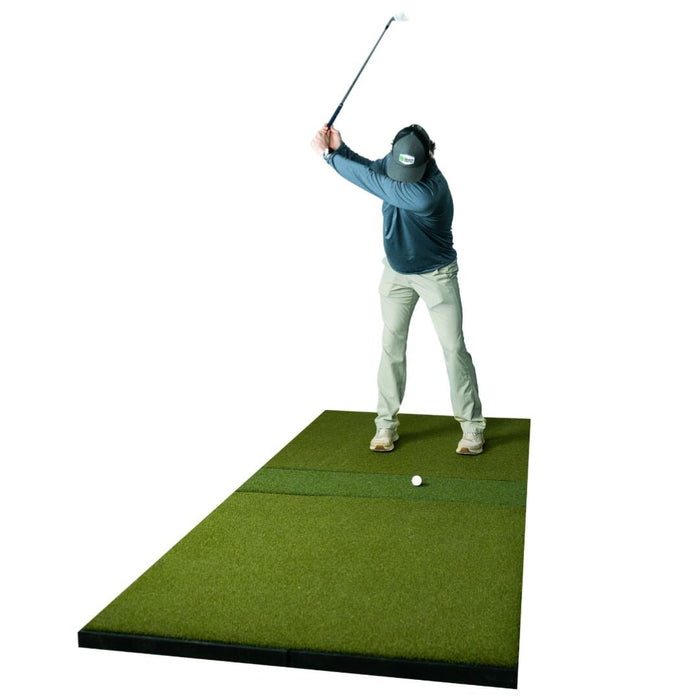
SIGPRO Super Softy 4' x 9' Golf Mat

SIGPRO Super Softy 4' x 9' Golf Mat

  • Mat size: 4 x 9 ft / 1.22 x 2.74 m
  • Hitting strip: 12 x 48 in / 30 x 122 cm
  • Shipping weight: 345 lb / 156.5 kg
  • Base: Rubber tile design
  • Layout: Stance mat on both sides of the center hitting strip
  • Handedness: Right- and left-handed golfers
  • Replacement insert: Center hitting strip, replaceable
  • Warranty: Provided and honored by our partner under their product warranty
  • Support: Setup help and product questions are answered by our golf specialist partner
$1,369.99

Frequently asked

Residential golf questions answered Everything you need to know about owning a home golf simulator

What's the minimum room size for a residential golf simulator?
Space requirements vary by system and are listed on each product page. Measure your room's depth, width, and ceiling height before choosing — you need enough space for a full swing plus clearance on all sides.
How long does a complete installation take?
Installation time depends on your room preparation and comfort with basic tools. Each product page covers what its setup involves. If you prefer not to install it yourself, hire a qualified local professional.
What do I need for a complete home simulator?
A full bay combines a hitting mat, an impact screen or net, an enclosure, a projector, a launch monitor, and simulator software. QualGear carries the mats, screens, nets, putting greens, and enclosure accessories — supplied by our golf specialist partner — plus QualGear projector mounts. Launch monitors, projectors, and software are sourced separately.
How much noise does a simulator make?
Noise depends on the system and the room. The loudest sound is ball impact on the screen. Carpet, rugs, or acoustic panels reduce how much sound carries to the rest of the house.
Can I install this in a basement or garage?
Yes, both basements and garages work well for simulator installations. Basements provide climate control. Garages may require additional lighting. Ensure your space meets minimum height and depth requirements.
What's the warranty on golf products?
Warranty coverage is listed on each product page. Golf products are covered by our golf specialist partner under their product warranty — see the 'How support works for this item' note on each product page. QualGear projector mounts and AV components carry QualGear's own limited warranty (parts only).
Do I need special flooring or reinforcement?
Standard flooring works for most installations — the hitting mat absorbs ball and club impact. Concrete, tile, or wood floors are all suitable. Check your system's product page for any surface requirements.
Can I upgrade my simulator later?
Yes, most components are modular and can be upgraded. You can improve your projector, launch monitor, or screen as technology advances, without replacing the entire system.
How does support work for golf orders?
You order from and pay QualGear, and your order emails come from QualGear. Product support and warranty service for golf items are handled by our golf specialist partner — contact us first and we'll route your request. QualGear mounting and AV products are supported directly by QualGear, Mon–Fri, 9:00 a.m.–5:00 p.m. Central.

Next steps

Ready to bring the course home? Shop the components or plan the space first.

Shop

All indoor golf

Mats, impact screens, nets, putting greens, and enclosure accessories in one place.

Shop all indoor golf

Explore

Golf simulator hub

Compare residential and commercial paths, and see how QualGear mounting fits in.

Visit the golf hub

Commercial

Planning a venue?

Multi-bay planning with spec-first support for lounges, ranges, and training facilities.

See commercial options